

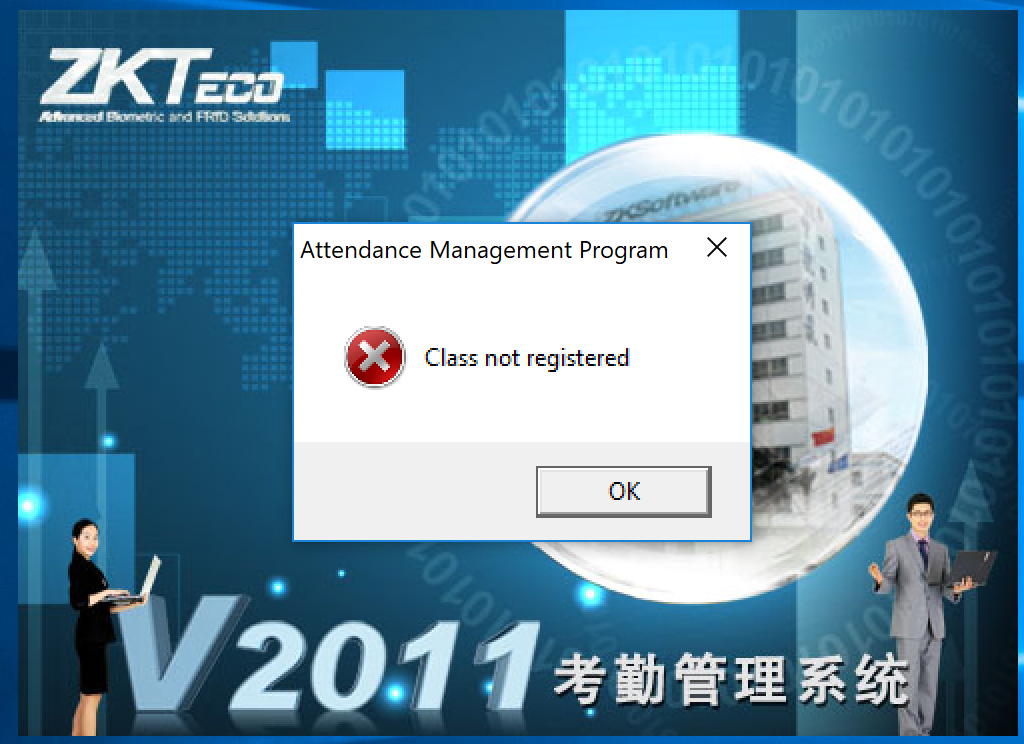
حل مشكلة برنامج البصمة ZKTeco Time and Attendance Software “Class not registered”
attendance management class not registerd
سبب المشكلة :
ان البرنامج غير متطسب وبيتم فتح البرنامج portable
لذلك قم بتسطيب البرنامج ثم قم باختيار قاعدة البيانات الخاصة بك وهتجد ان المشكلة تم حلها
حل اخر :
To fix that issue do the following:
Start and type CMD.
Right-click it and select Run as Administrator.
Paste the following command and then wait for its finish:
Regsvr32 C:\Windows\SysWOW64\zkemkeeper.dll
Then you will get a message saying that you registered that DLL file successfully.
SysWOW64 is a folder in C:\Windows path, and have all the DLL files required in your program, but you only need to register this zkemkeeper.dll file.
Run the program and it should work!
+ إنشاء موضوع جديد
النتائج 1 إلى 1 من 1
-
25-05-2019, 11:42 #1Status
- Offline

- تاريخ التسجيل
- Apr 2014
- الدولة
- Egypt
- المشاركات
- 4,703
 Engineering and Technology
- معدل تقييم المستوى
- 10
 حل مشكلة ZKTeco Time and Attendance Software “Class not registered”
------------------------------------------------------------------------
حل مشكلة ZKTeco Time and Attendance Software “Class not registered”
------------------------------------------------------------------------
شركة رايز للهندسة و التكنولوجيا Rise Company for Engineering & Technology
------------------------------------------------------------------------
Web Hosting | Web Designing | E-Marketing
رقم # 1 فى خدمات الشركات Business Services
استضافة مواقع Web Hosting - عمل ايميل شركة Business Emails
تصميم موقع شركة Web Design - تسويق الكترونى على جوجل Google Adwords
www.rise.company | www.rise.company/emails
ملحوظة : جميع خدماتنا مخصصة للشركات فقط وغير متاحة للافراد
وليس لنا اى منتجات او صيانة نهائيا! يرجى الانتباه الى ذلك.

 رد مع اقتباس
المواضيع المتشابهه
-
سنترال باناسونيك Panasonic NS500 الكلاسات CLASS OF SERVICE
بواسطة Rise Company في المنتدى قسم السنترالاتمشاركات: 0آخر مشاركة: 26-04-2019, 20:28 -
تحميل برنامج attendance management software - جميع الروابط و جميع الاصدارات
بواسطة Rise Company في المنتدى قسم البصمة و الاكسس كنترولمشاركات: 2آخر مشاركة: 01-07-2018, 09:34 -
حل مشكلة all hosts have been failing for a long time (and retry time not reached)
بواسطة Rise Company في المنتدى قسم الايميلات Emailsمشاركات: 0آخر مشاركة: 22-01-2018, 13:50 -
كروت الذاكرة كلاس (class) - الفرق بين (2-4-6-8-10)
بواسطة Eng Amr Adel في المنتدى رايز للجوالات Rise Phonesمشاركات: 0آخر مشاركة: 16-09-2015, 06:43 -
برنامج ادارة الحضور والانصراف attendance management software - english and arabic
بواسطة Rise Company في المنتدى قسم البصمة و الاكسس كنترولمشاركات: 0آخر مشاركة: 27-04-2015, 08:52

المفضلات