


حل مشكلة هارد السيرفر server hard state is foreign فى RAID
[SOLVED] How to clear the foreign configuration on a HDD using the Raid Configuration Utility
disk failure in a Dell PowerEdge R710 server - RAID controller in Foreign State
حل المشكلة هو اعادة تعريف الهارد مرة اخري فى RAID ولكي يتم ذلك لا يوجد الا حلين اما Import Foreign او clear foreign الاول يقوم باستعادة الاعدادات السابقة التى يعمل عليها الهراد اما الاخر فيقوم بحذف الاعدادات ليجعل الهارد كانه جديد لعمل raid له.
حل المشكلة Import Foreign
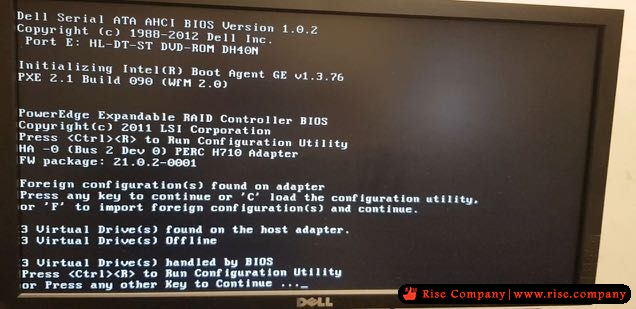
Ctrl-R during bootup brings up the BIOS menu for the controller. Go across to Foreign (Ctrl-n), hit F2 for options and choose Import Foreign Config to load previous config from the disks or choose clear foreign config to wipe it and start from scratch.
فى حالة تصحيح خلل الهارد
DELL Ctrl-R import foreign PERC 5,6
فى حالة استبدال هارد اخر
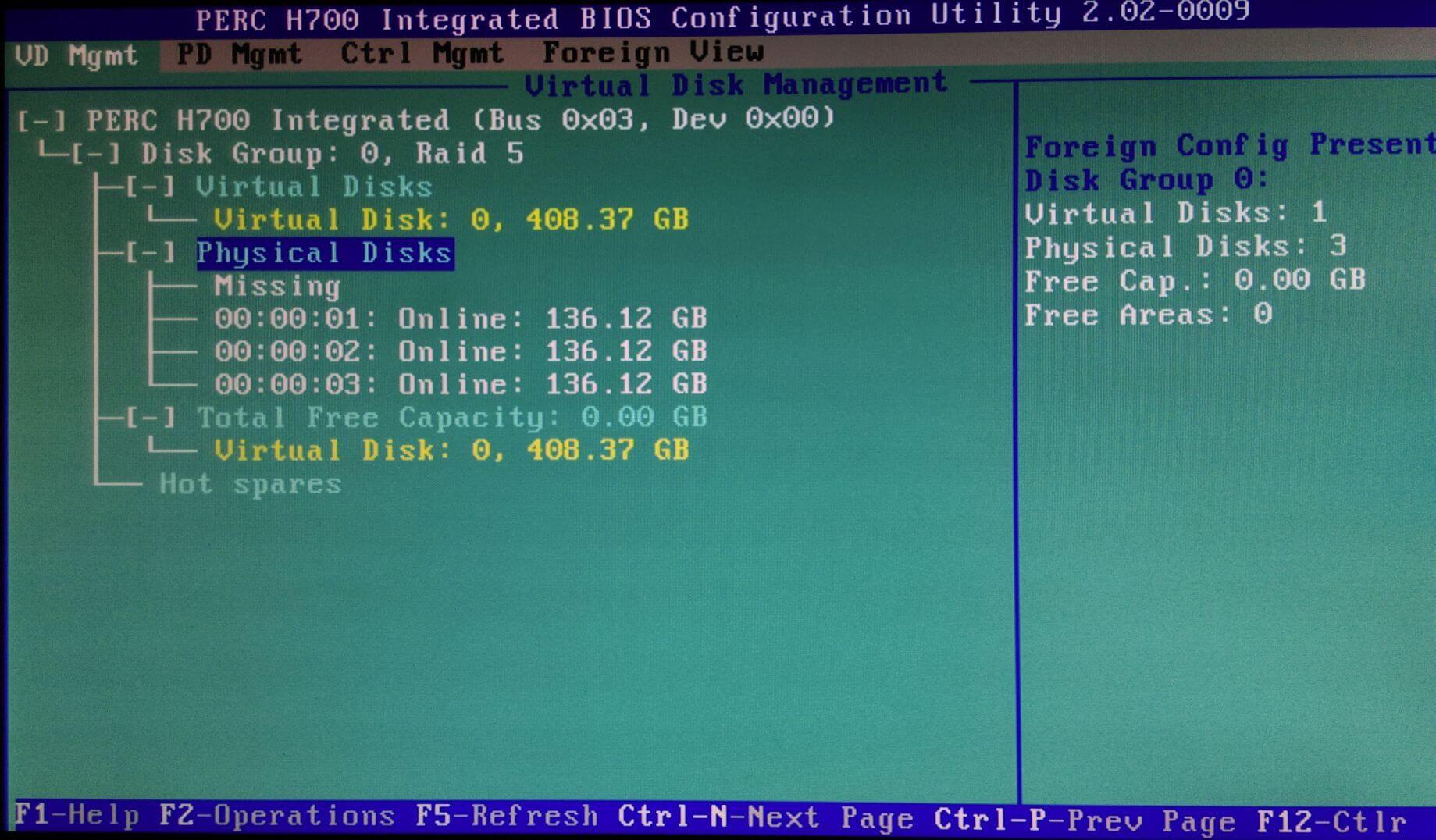
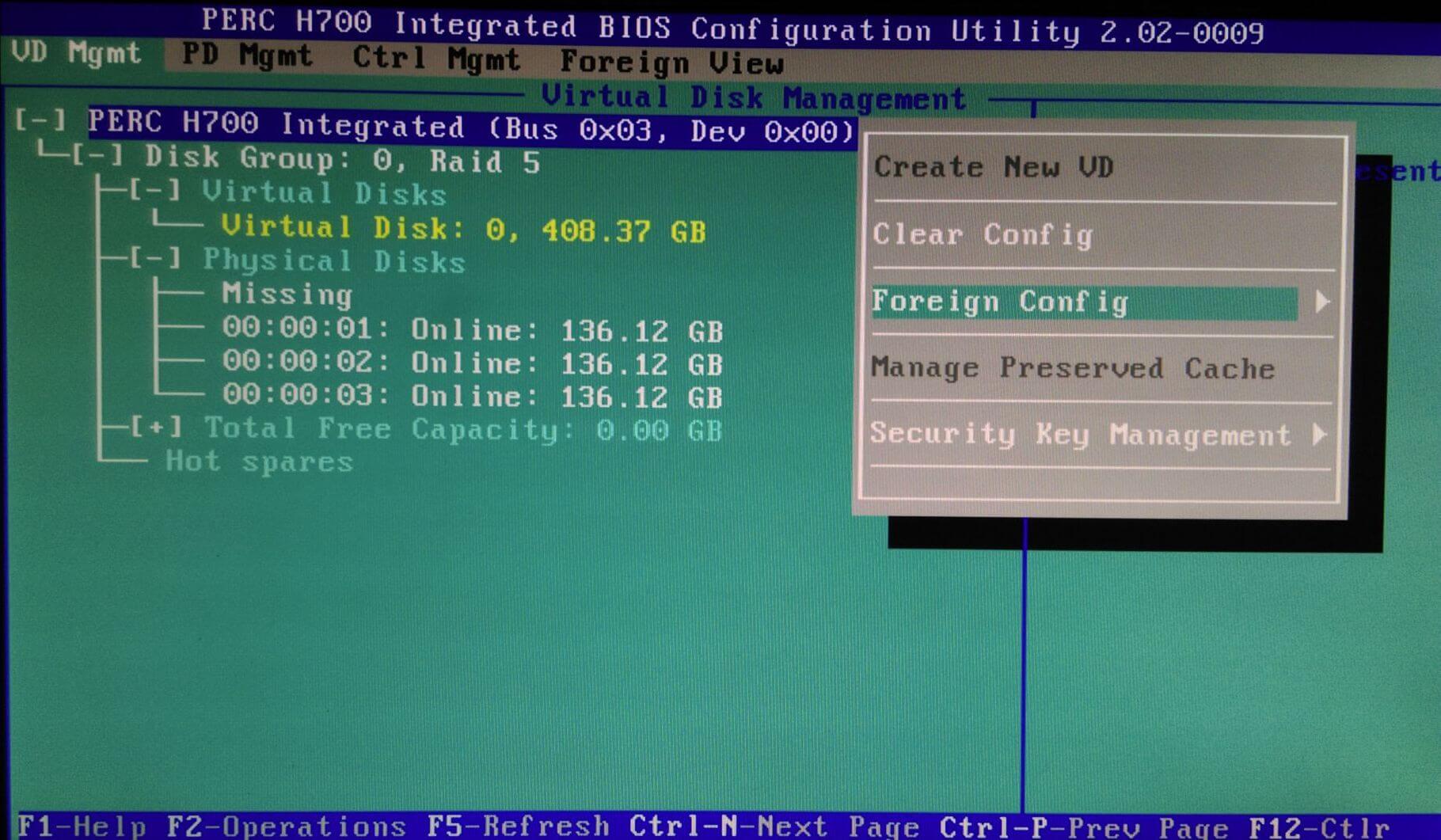
Reboot the server and during start up when prompted press Ctrl + R to enter the Raid Configuration Utility. Once in the PERC Configuration Utility use Ctrl+ N to switch between the tabs, below you can see the Virtual Disk Management page and the missing disk.
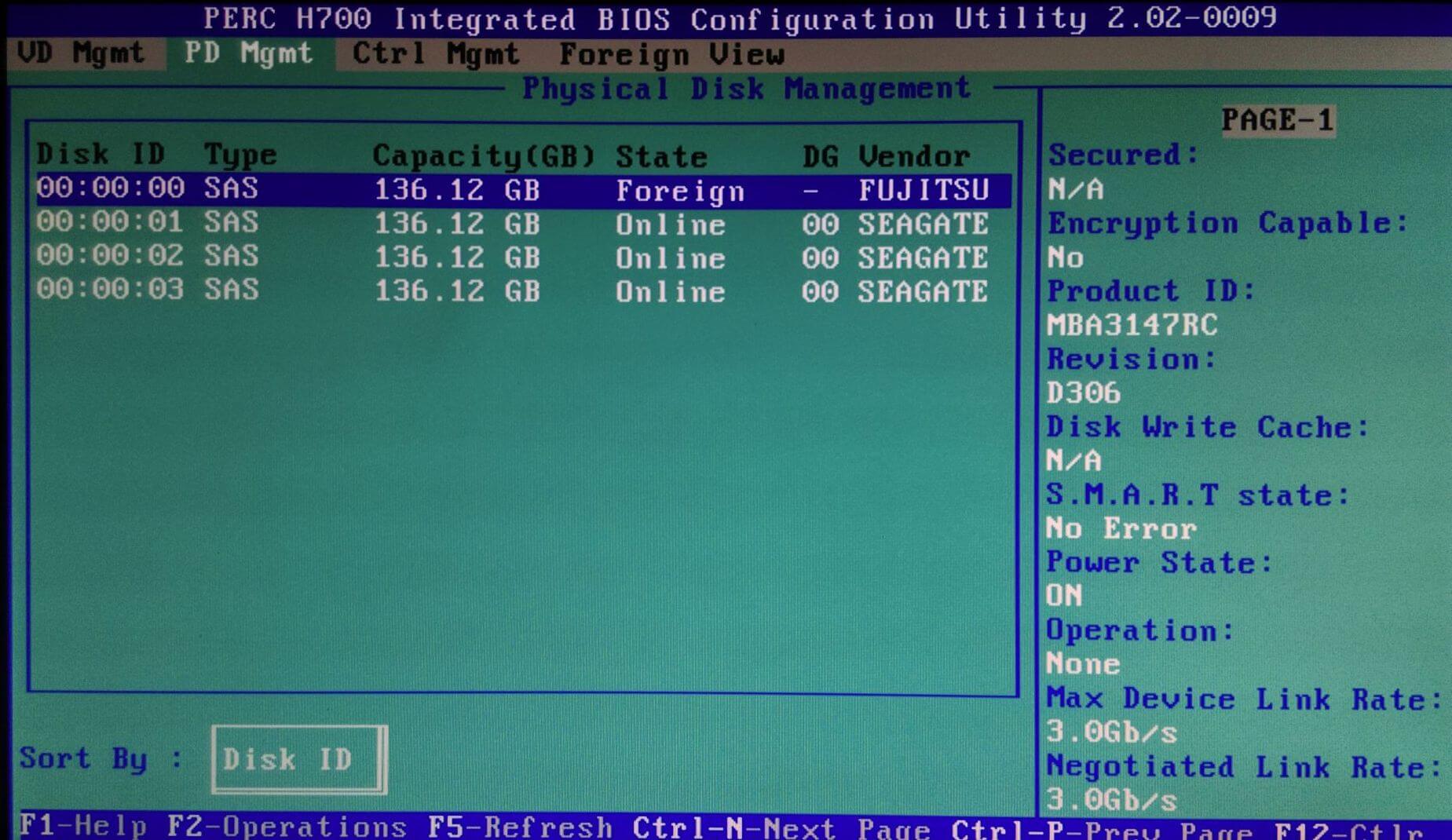
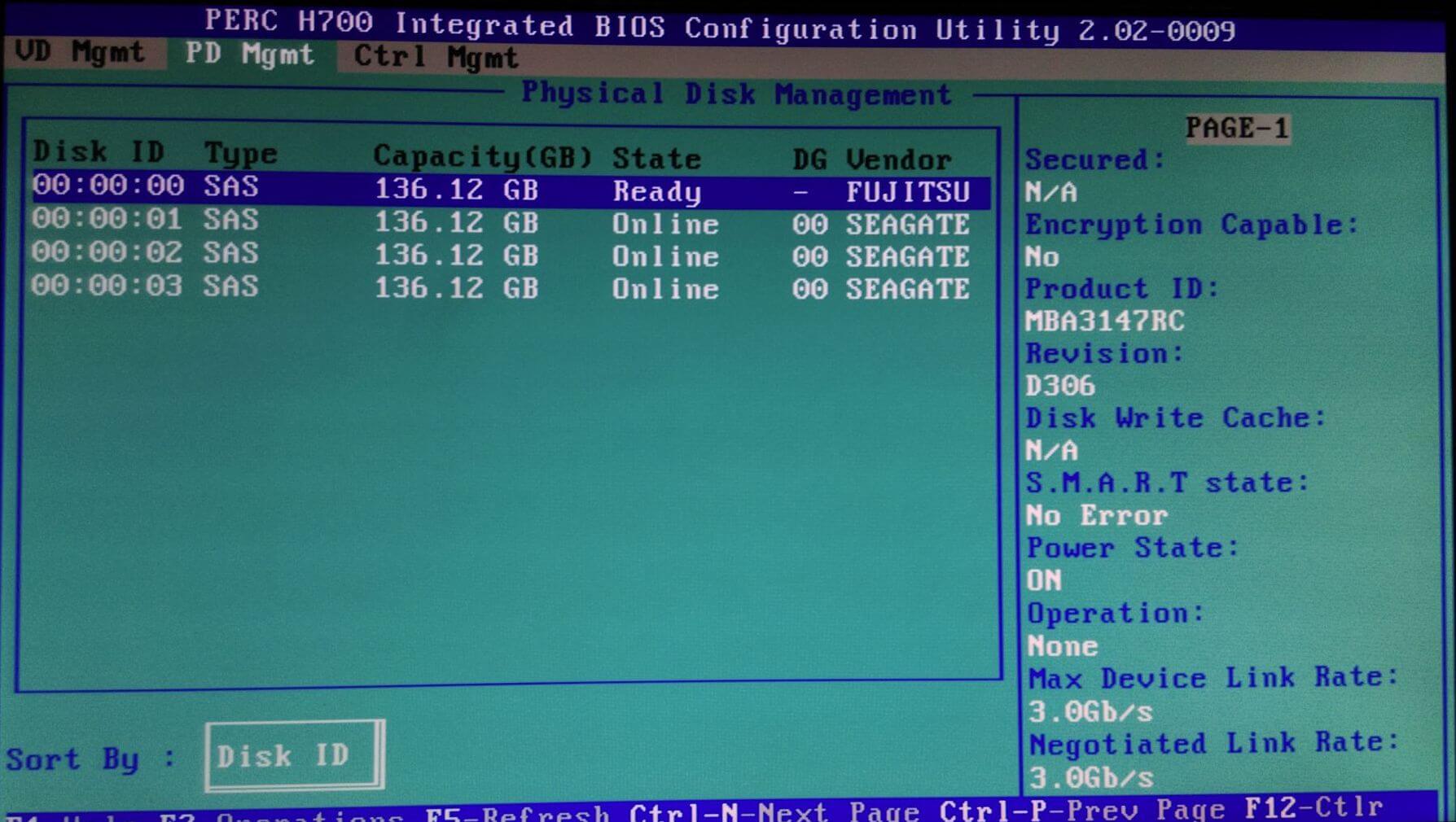
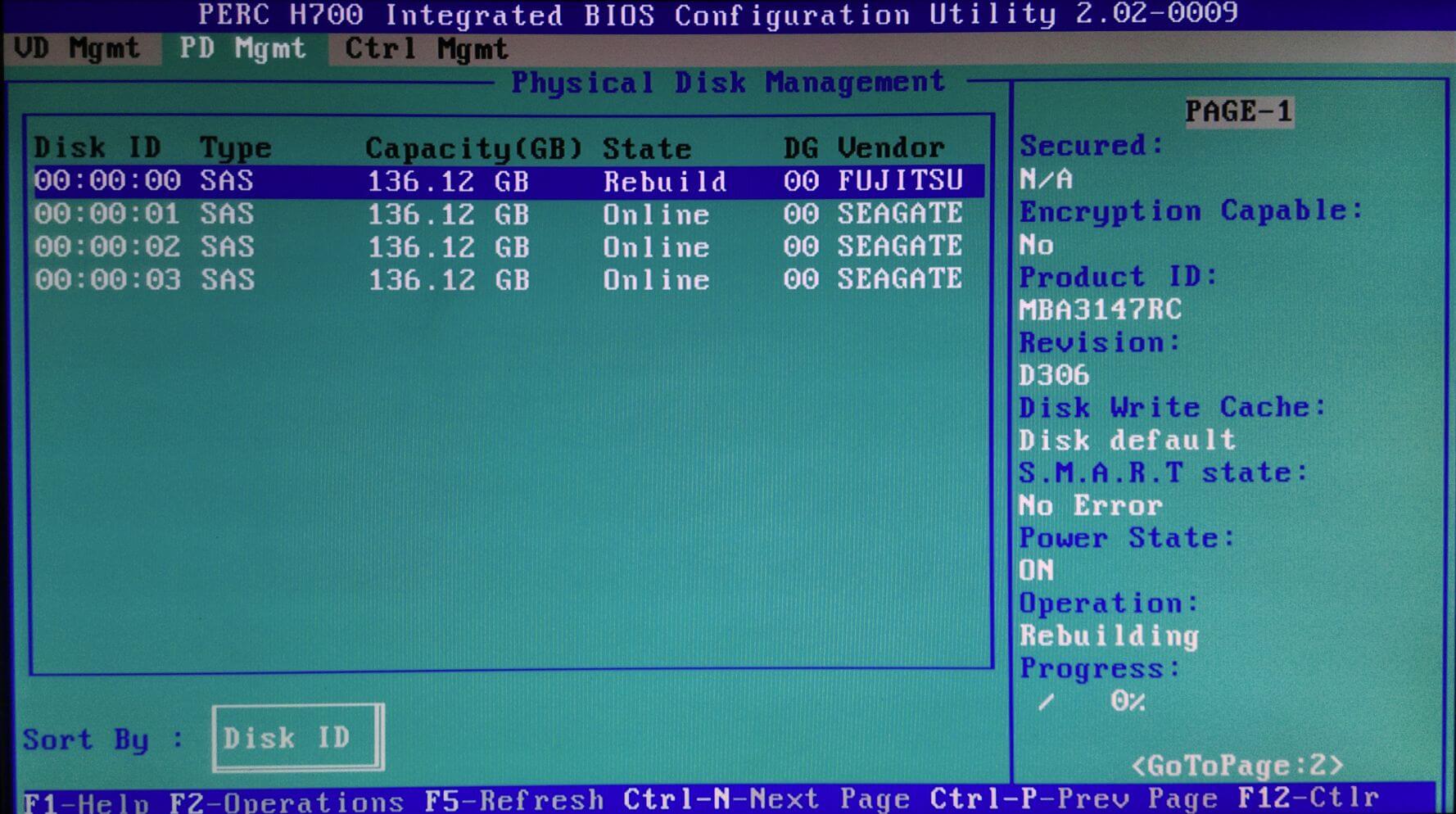
The next tab, Physical Disk Management shows the new foreign disk in slot 0.
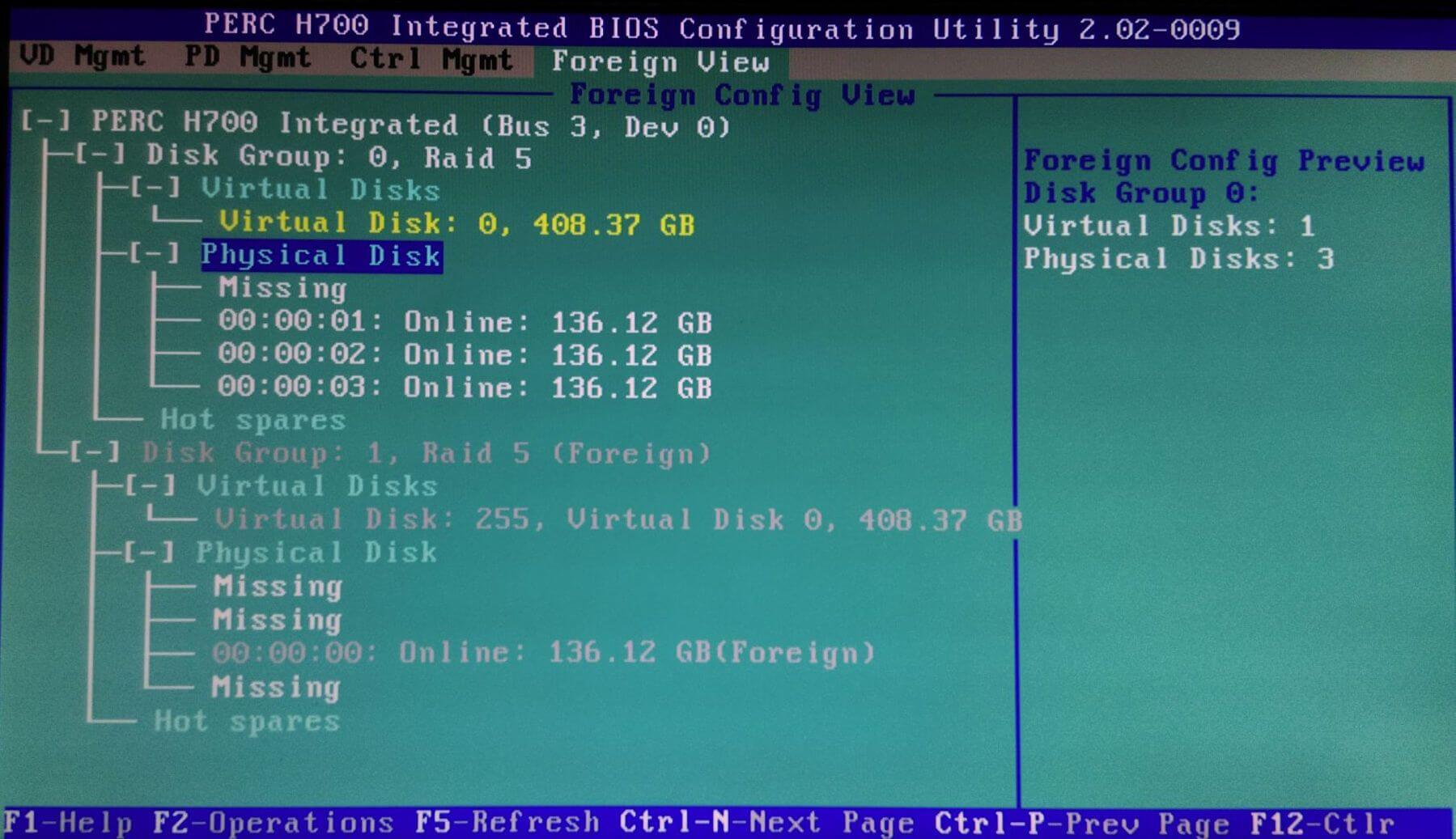
The last tab shows the Foreign configuration as well and the current active configuration.
Now we have orientated ourselves go back to the Virtual Disk Management page, highlight the controller at the top of the screen and press F2 to list the available operations.
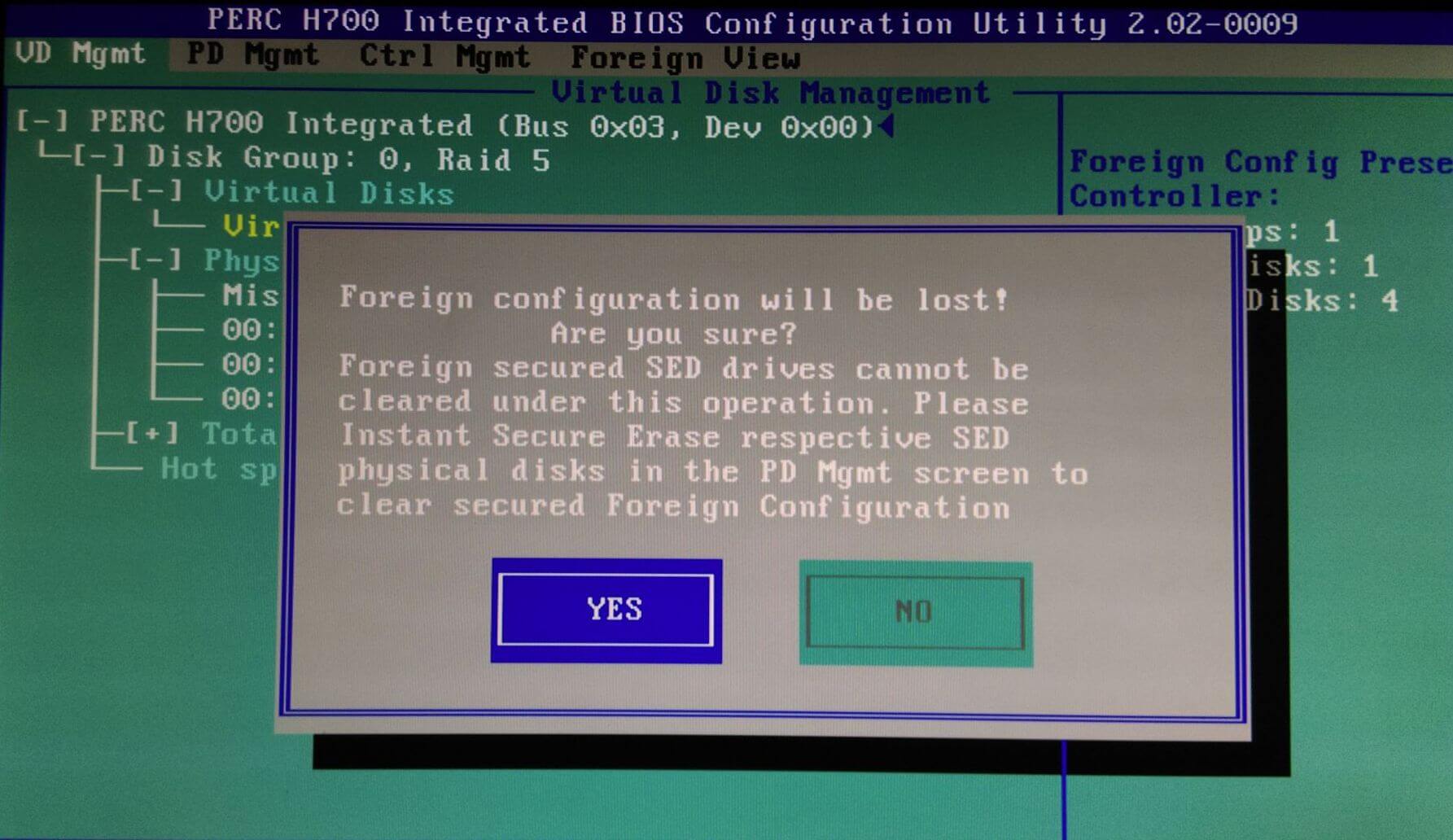
Scroll down and select Foreign Config, another window will pop up with the option to import or clear the configuration. Select Clear.
The warning message below will pop up, select Yes.
Looking at the Physical Disk Management page, you can now see the replacement disk is Ready.
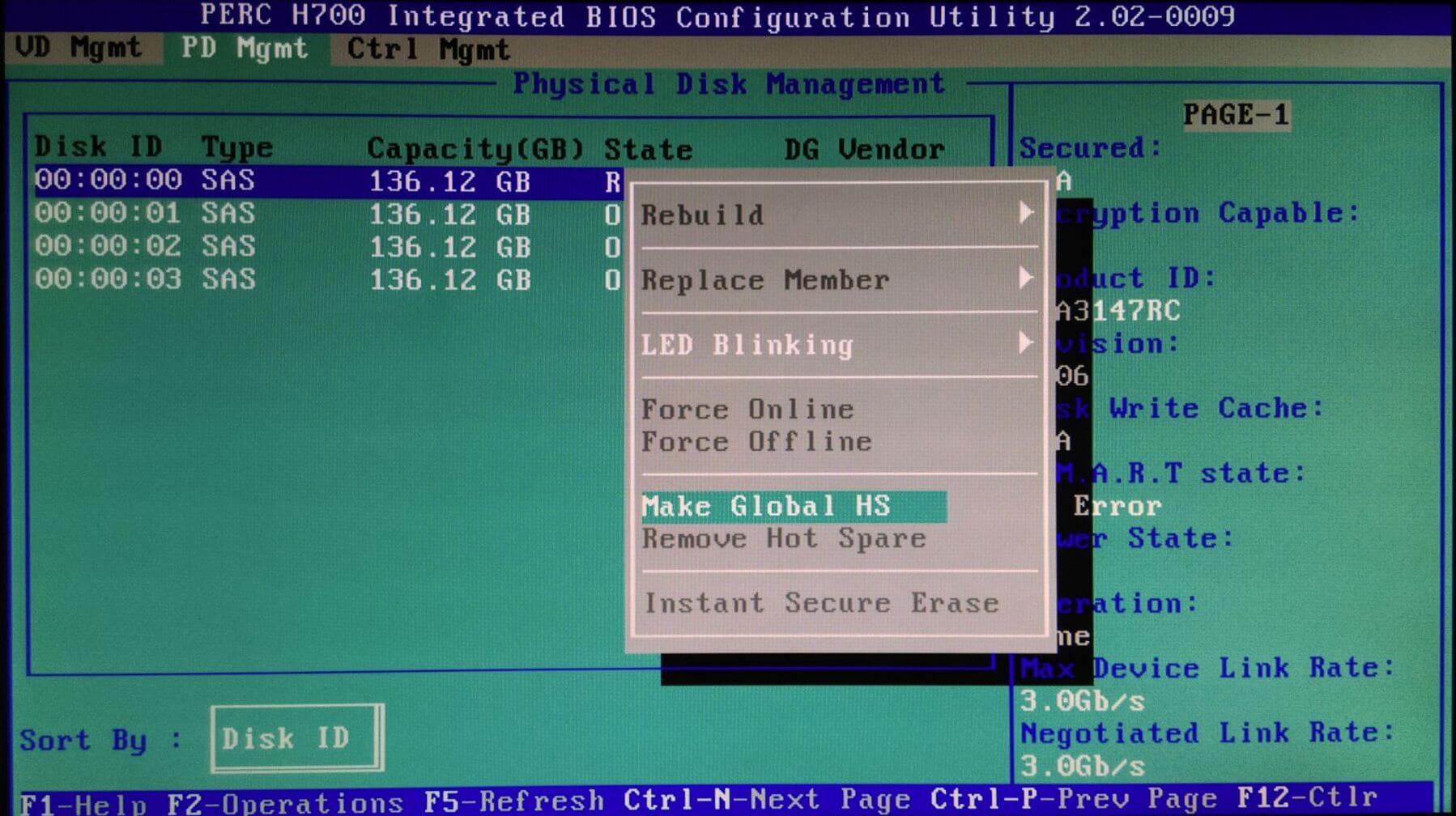
Press F2, and then select the option to Make Global HS.
You can see below that the State has changed to Rebuild.
Exit the Raid Configuration Utility, reboot your server and the array will rebuild in the background.
+ إنشاء موضوع جديد
النتائج 1 إلى 1 من 1
مشاهدة المواضيع
-
05-10-2019, 22:53 #1Status
- Offline

- تاريخ التسجيل
- Apr 2014
- الدولة
- Egypt
- المشاركات
- 4,703
 Engineering and Technology
- معدل تقييم المستوى
- 10
 حل مشكلة missing فى هارد السيرفر server hard state is foreign فى RAID
------------------------------------------------------------------------
حل مشكلة missing فى هارد السيرفر server hard state is foreign فى RAID
------------------------------------------------------------------------
شركة رايز للهندسة و التكنولوجيا Rise Company for Engineering & Technology
------------------------------------------------------------------------
Web Hosting | Web Designing | E-Marketing
رقم # 1 فى خدمات الشركات Business Services
استضافة مواقع Web Hosting - عمل ايميل شركة Business Emails
تصميم موقع شركة Web Design - تسويق الكترونى على جوجل Google Adwords
www.rise.company | www.rise.company/emails
ملحوظة : جميع خدماتنا مخصصة للشركات فقط وغير متاحة للافراد
وليس لنا اى منتجات او صيانة نهائيا! يرجى الانتباه الى ذلك.

 رد مع اقتباس
المواضيع المتشابهه
-
كشف حظر ايميلات السيرفر How do I check if my mail server is blacklisted?
بواسطة Rise Company في المنتدى قسم الايميلات Emailsمشاركات: 0آخر مشاركة: 23-06-2019, 17:54 -
ويندوز سيرفر Windows Server عمل باك اب System state vs System Restore
بواسطة Rise Company في المنتدى قسم الويندوز سيرفر Windows Serverمشاركات: 0آخر مشاركة: 25-05-2019, 01:12 -
الفرق بين RAID 0 vs RAID 1 vs RAID 10 vs RAID 5
بواسطة Rise Company في المنتدى رايز للاستضافة Rise Hostمشاركات: 0آخر مشاركة: 29-05-2018, 12:33 -
حل مشكلة امتلاء مساحة السيرفر و فحص جميع الملفات Server Disk Usage full
بواسطة Rise Company في المنتدى قسم الشل SSH / SFTPمشاركات: 1آخر مشاركة: 09-01-2018, 06:26 -
إعداد أسم السيرفر Name Server
بواسطة Rise Company في المنتدى رايز للاستضافة Rise Hostمشاركات: 2آخر مشاركة: 16-04-2015, 02:14

المفضلات