


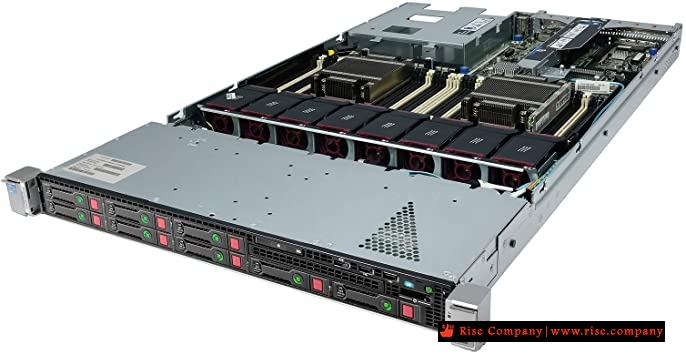
سيرفر اتش بي hp proliant dl360 gen8 لايدعم UEFI / GPT فى اختيارات BIOS
booting HP ProLiant DL360 Gen8 in uefi - HP DL360 Gen8 GPT / MBR problem
المشكلة :
لا يوجد فى البايوس نظام UEFI وفقط يعمل Legacy ولايوجد اى اختيار للتحويل الى UEFI
السبب :
Gen8, it does not have UEFI support. We only support UEFI in Gen9 and newer.
I just contacted HPE. They confirmed, DL360 G8 (and most G8 servers in general) does not have uefi.
The only exception is DL580 gen8
حل المشكلة :
تغيير السيرفر الى gen 9 او البحث عن تحديث للفيرموير ان وجد
مع العلم تحويل الهارد الى gpt لا يوجد مشكلة به المشكلة فى البوت على uefi
المرجع:HP DL380e Gen8 not support the UEFI mode, you can find the option in HP Gen 9.
we can say that UEFI boot mode support more than 2 TB storage and Legacy mode support UP to 2 TB, so the solution is below:
For Example:
1. if you have storage 10TB, so create the two raid ( one for window and 2nd for storage )
2. when you choose the partition for windows so make sure there is no any extra partition without these raid.
3. install the window in window raid partition
4. complete the startup setup
5. so when you go to Disk management so there you will see the 2 disk online
one is Raid for storage
second is raid for windows
6. so delete the partition from the disk management of the storage RAID.
7. right click on Disk online > convert to GPT
https://serverfault.com/questions/97...0-gen8-in-uefi
https://community.hpe.com/t5/prolian...4#.X3Of3u2xXDc
+ إنشاء موضوع جديد
النتائج 1 إلى 1 من 1
العرض المتطور
-
29-09-2020, 23:11 #1Status
- Offline

- تاريخ التسجيل
- Apr 2014
- الدولة
- Egypt
- المشاركات
- 4,703
 Engineering and Technology
- معدل تقييم المستوى
- 10
 سيرفر اتش بي hp proliant dl360 gen8 لايدعم UEFI / GPT فى اختيارات BIOS
------------------------------------------------------------------------
سيرفر اتش بي hp proliant dl360 gen8 لايدعم UEFI / GPT فى اختيارات BIOS
------------------------------------------------------------------------
شركة رايز للهندسة و التكنولوجيا Rise Company for Engineering & Technology
------------------------------------------------------------------------
Web Hosting | Web Designing | E-Marketing
رقم # 1 فى خدمات الشركات Business Services
استضافة مواقع Web Hosting - عمل ايميل شركة Business Emails
تصميم موقع شركة Web Design - تسويق الكترونى على جوجل Google Adwords
www.rise.company | www.rise.company/emails
ملحوظة : جميع خدماتنا مخصصة للشركات فقط وغير متاحة للافراد
وليس لنا اى منتجات او صيانة نهائيا! يرجى الانتباه الى ذلك.

 رد مع اقتباس
المواضيع المتشابهه
-
حل مشكلة عدم وجود Windows Boot Manager فى UEFI
بواسطة Rise Company في المنتدى قسم الاي تي IT مشاكل و حلولمشاركات: 0آخر مشاركة: 14-11-2019, 01:09 -
الفرق بين انواع البايوس UEFI BIOS vs. Legacy BIOS
بواسطة Rise Company في المنتدى قسم الاي تي IT مشاكل و حلولمشاركات: 0آخر مشاركة: 08-11-2019, 20:26 -
تفعيل Enable Boot with UEFI Boot Mode مانيوال Adding manually in BIOS
بواسطة Rise Company في المنتدى قسم الاي تي IT مشاكل و حلولمشاركات: 0آخر مشاركة: 08-11-2019, 20:20 -
جميع اعدادات البايوس bios فى ديل Dell Inspiron 15 5570 laptop - BIOS
بواسطة Rise Company في المنتدى قسم الاي تي IT مشاكل و حلولمشاركات: 0آخر مشاركة: 08-11-2019, 19:38 -
تفعيل virtualization فى جميع انواع البايوس Bios لعمل انظمة وهمية
بواسطة Rise Company في المنتدى قسم الويندوز سيرفر Windows Serverمشاركات: 0آخر مشاركة: 08-08-2018, 23:25

المفضلات