


السي بانال WHM/cPanel استيراد الايميلات من ملف Import emails from excel
How do I import email addresses into cPanel
The Address Import Tool allows you to use two types of files to simultaneously create multiple email addresses or email redirects from an XLS or CSV (comma separated values) file to import data. This is a very useful option to avoid doing it manually through the email account tool.
- Importing Email Addresses
- Importing forwarders
-----------------------------------------------
Importing Email Addresses
-----------------------------------------------
Creation of the import file
To create the import file, add a series of email addresses and passwords to your spreadsheet or plain text file. For each account sender, use a separate row in the worksheet or a new row in the plain text file to separate the information for each account or sender.
Here is the format needed for the columns in your file :
- First line of the file, contains the definition of the columns (Email, Password, Quota).
- First column, contains the email address to create.
- Second column, the desired password for the email address.
- Last column, the quota.
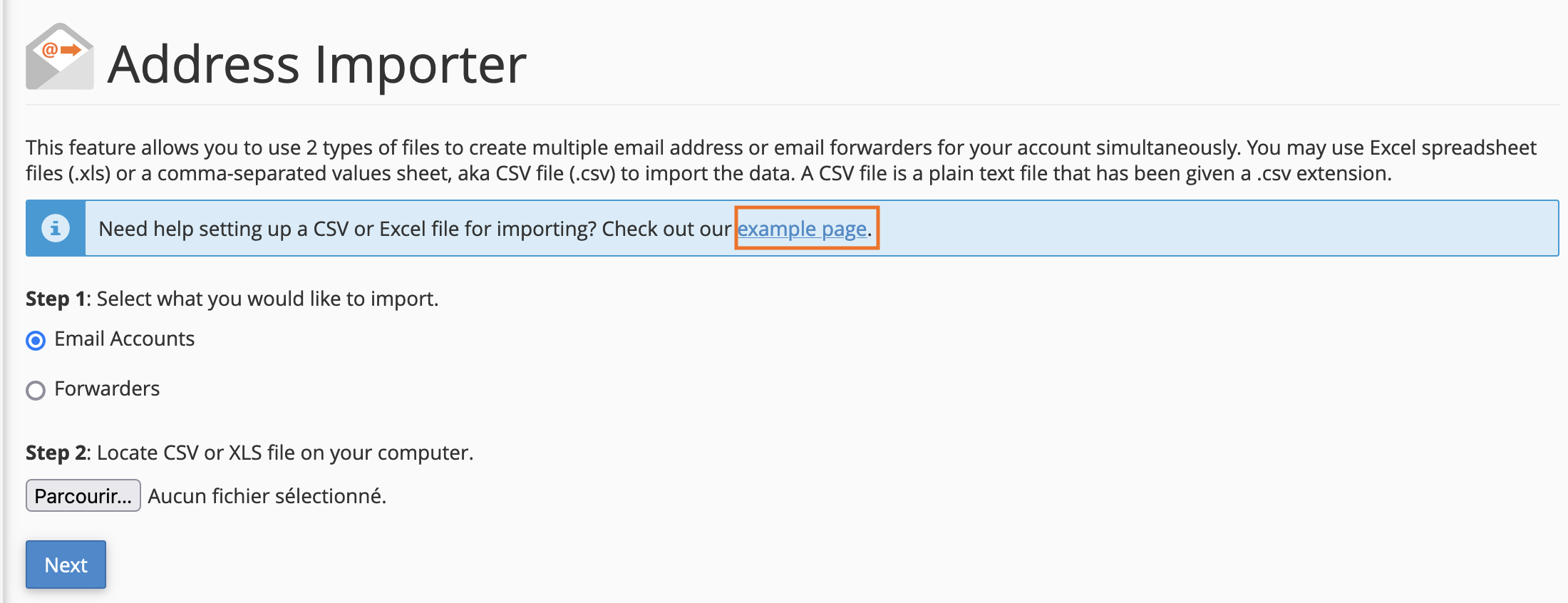
As an alternative, you can download a sample XLS or CSV file
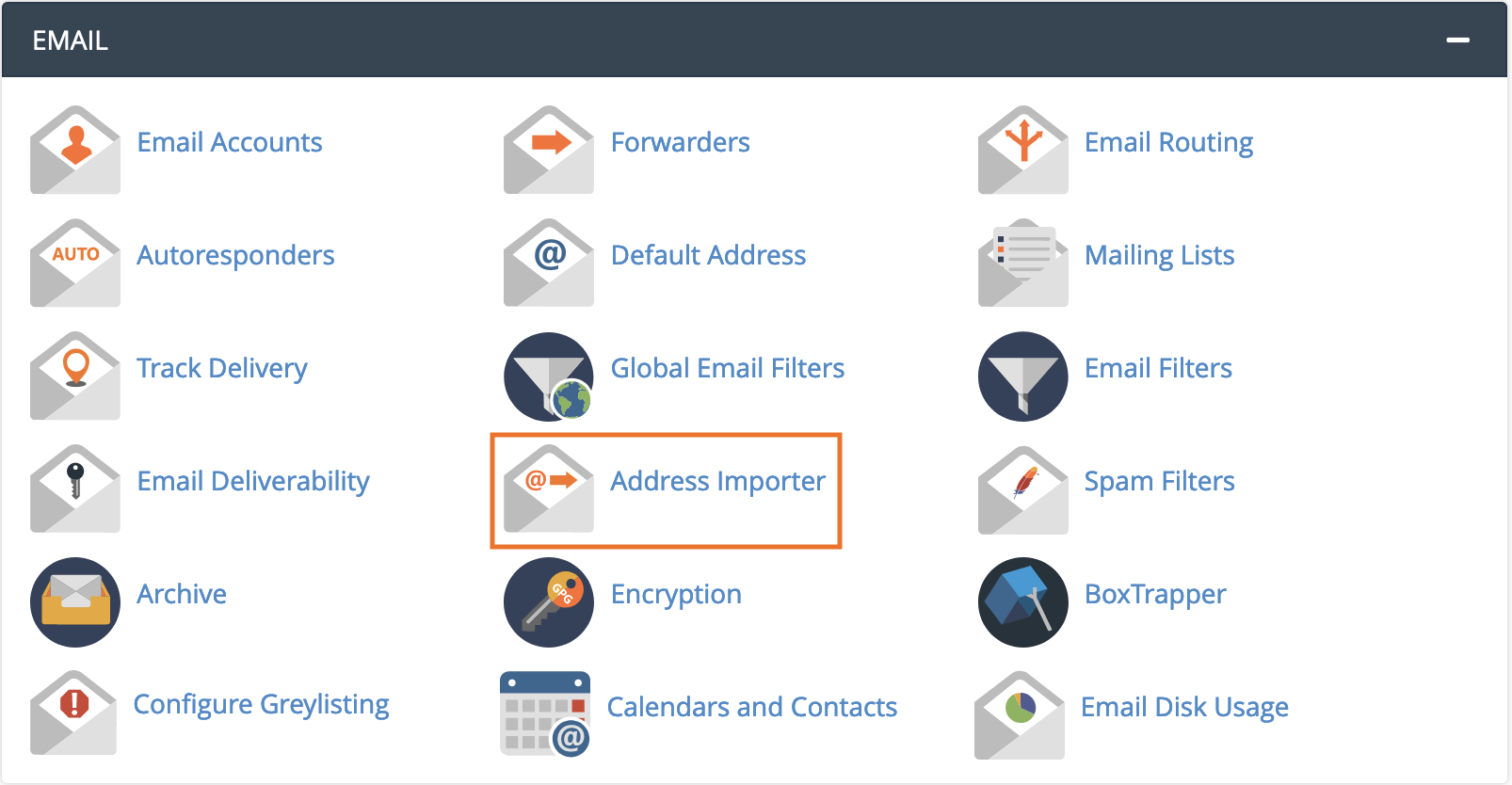
from cPanel > EMAIL > Address Importer.
Click on the link "example page".
Import into cPanel
To import an email list, go to EMAIL > Address Importer.
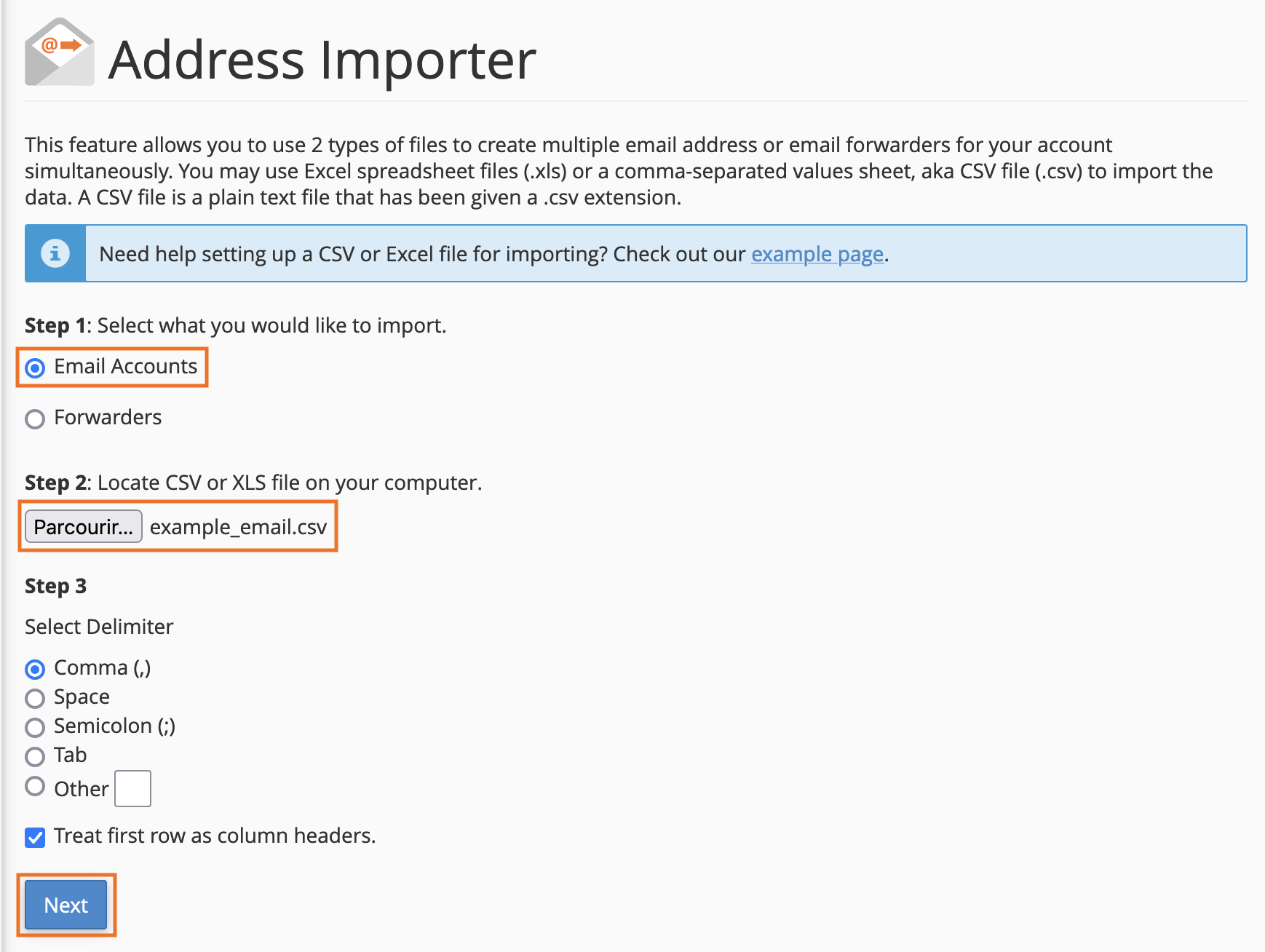
Then check the box "Email accounts" for email import, choose your file,
pay attention to the separator (by default a comma in csv files) and continue.
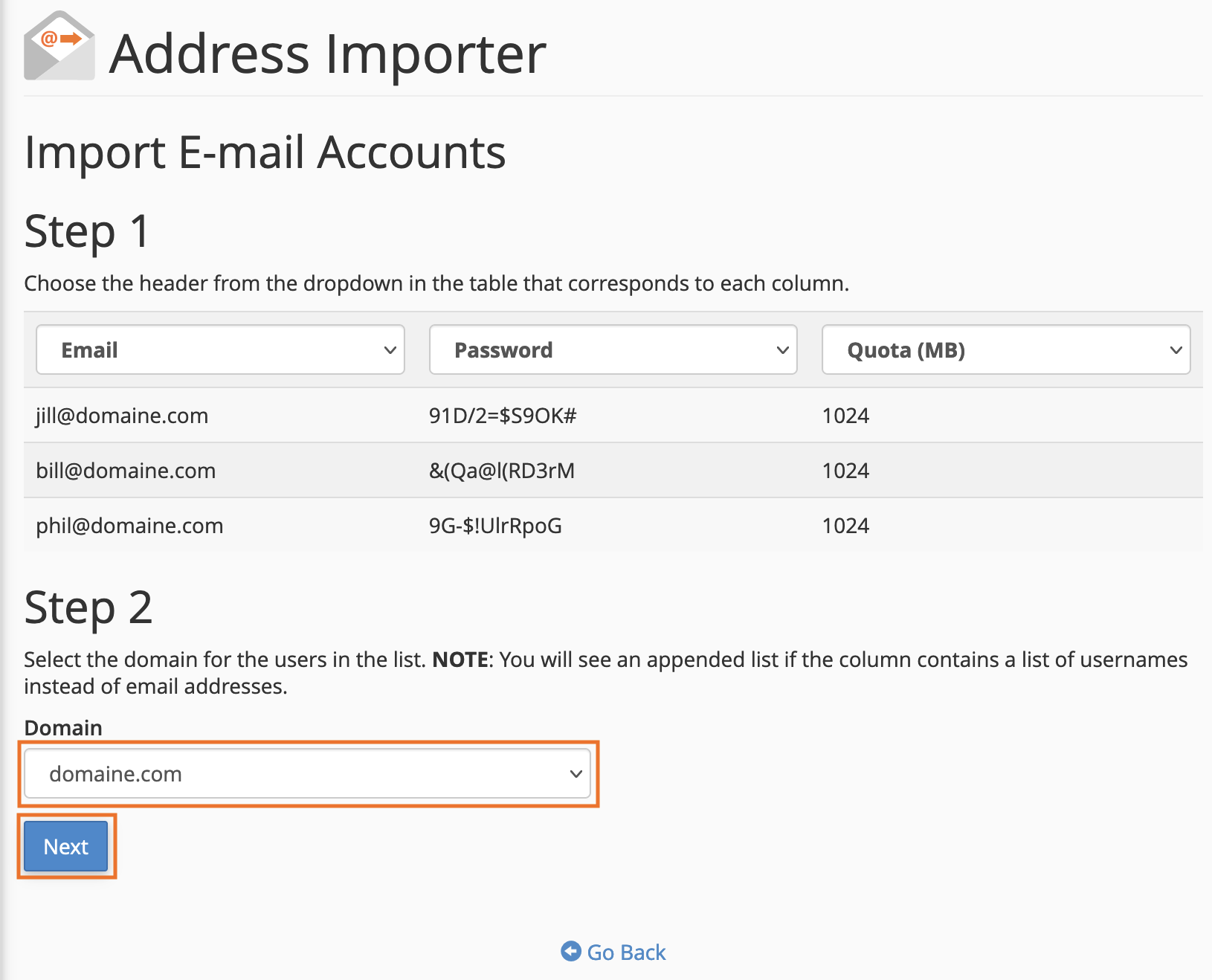
Before clicking on "Next", be sure to select the correct header
for each column and select the email creation domain.
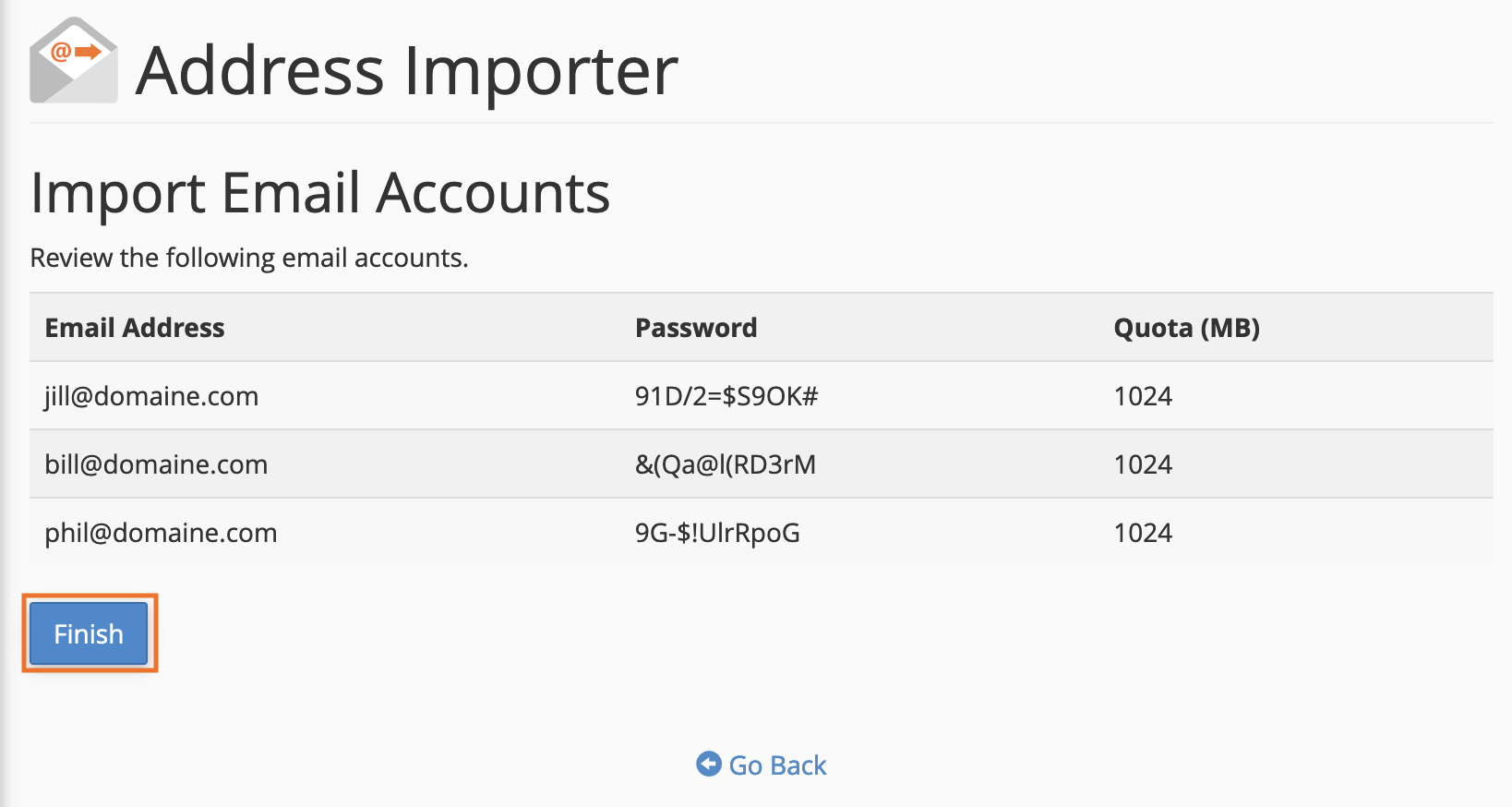
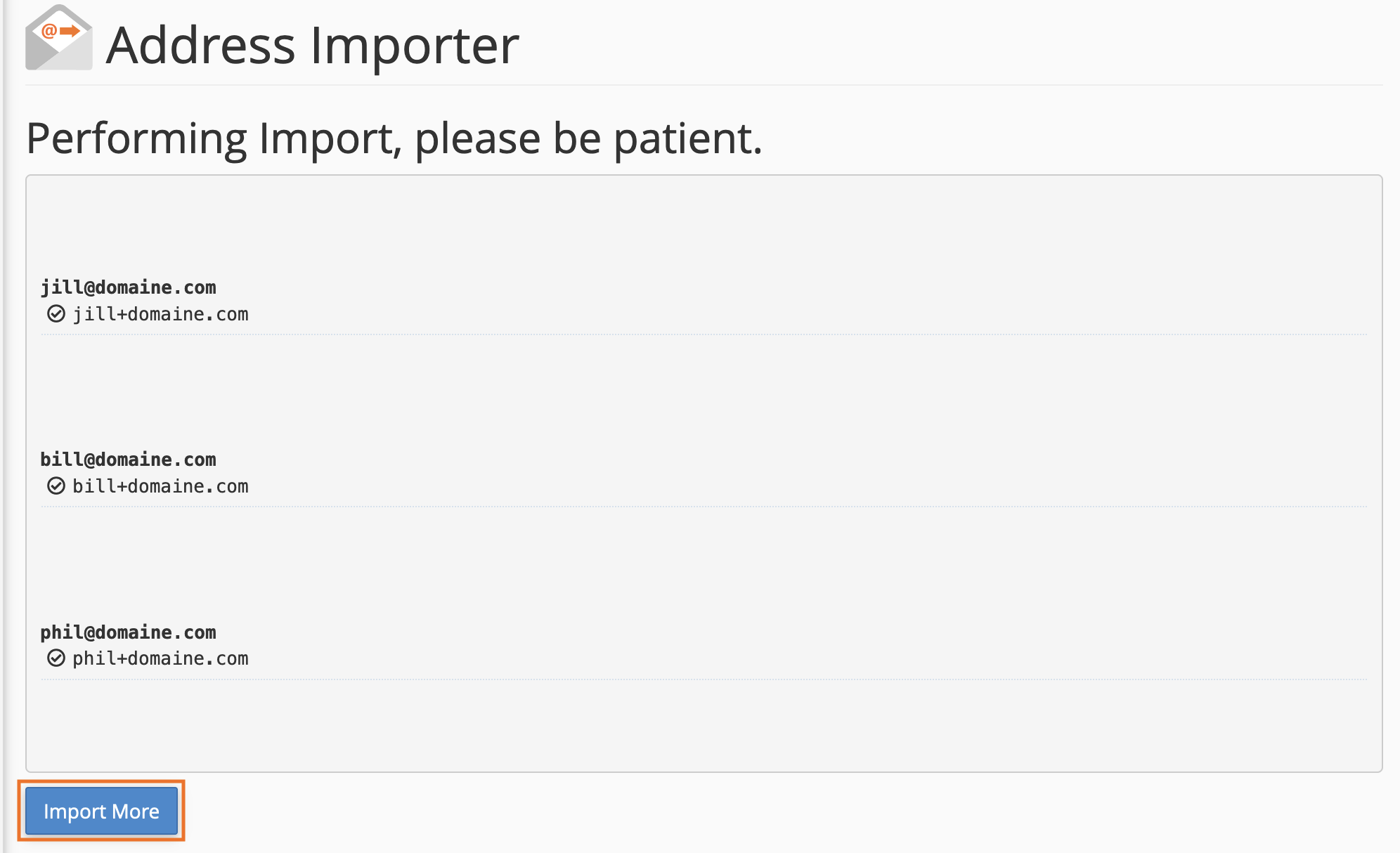
A final confirmation is requested then the email addresses are created.
The email addresses are finally created, you can get an error message if
the chosen password is too weak and does not correspond to the imposed standards.
ملحوظة :
تم ارافق ملف الاكسل جاهز
المرجع:
https://docs.cpanel.net/cpanel/email/email-accounts/
+ إنشاء موضوع جديد
النتائج 1 إلى 1 من 1
العرض المتطور
-
10-09-2022, 15:06 #1Status
- Offline

- تاريخ التسجيل
- Apr 2014
- الدولة
- Egypt
- المشاركات
- 4,703
 Engineering and Technology
- معدل تقييم المستوى
- 10
 السي بانال WHM/cPanel استيراد الايميلات من ملف Import emails from excel
------------------------------------------------------------------------
السي بانال WHM/cPanel استيراد الايميلات من ملف Import emails from excel
------------------------------------------------------------------------
شركة رايز للهندسة و التكنولوجيا Rise Company for Engineering & Technology
------------------------------------------------------------------------
Web Hosting | Web Designing | E-Marketing
رقم # 1 فى خدمات الشركات Business Services
استضافة مواقع Web Hosting - عمل ايميل شركة Business Emails
تصميم موقع شركة Web Design - تسويق الكترونى على جوجل Google Adwords
www.rise.company | www.rise.company/emails
ملحوظة : جميع خدماتنا مخصصة للشركات فقط وغير متاحة للافراد
وليس لنا اى منتجات او صيانة نهائيا! يرجى الانتباه الى ذلك.

 رد مع اقتباس
المواضيع المتشابهه
-
السي بانال WHM/CPanel حل مشكلة usr/local/cpanel/bin/needs-restarting-cpanel
بواسطة Rise Company في المنتدى رايز للاستضافة Rise Hostمشاركات: 0آخر مشاركة: 11-12-2021, 04:49 -
السي بانال WHM/CPanel حل مشكلة استهلاك الرام cpanel solr use high memory
بواسطة Rise Company في المنتدى رايز للاستضافة Rise Hostمشاركات: 0آخر مشاركة: 09-08-2021, 23:55 -
السي بانال WHM/CPanel تراخيص السيرفر الجديدة cPanel Account Tiers Licenses
بواسطة Rise Company في المنتدى رايز للاستضافة Rise Hostمشاركات: 0آخر مشاركة: 07-06-2021, 23:19 -
السي بانال WHM/CPanel الاستايل الزجاجي الجديد cpanel glass theme
بواسطة Rise Company في المنتدى رايز للاستضافة Rise Hostمشاركات: 0آخر مشاركة: 15-05-2021, 06:22 -
السي بانال CPanel ارسال ايميل الى جميع الايميلات mailing list
بواسطة Rise Company في المنتدى قسم الايميلات Emailsمشاركات: 1آخر مشاركة: 29-03-2021, 17:43

المفضلات